Stocky to Kestori migration guide
Shopify is shutting down Stocky on 2026-08-31. This guide walks through the practical migration path for merchants who mainly depend on Stocky's low-stock report, daily email, and reorder thresholds.
Before you start
Do not uninstall Stocky before you have one clean comparison week. Kestori can run in parallel, so the safest migration is to keep Stocky as your reference until Kestori's daily digest has matched your expectations for at least seven days.
Kestori replaces the daily low-stock digest workflow: Shopify inventory, 28-day sales velocity, days-left risk, reorder thresholds, and the daily email that tells you what to check first. Kestori does not replace Stocky purchase orders, vendor management, supplier records, or a broad ERP.
Kestori is an independent Shopify app and is not endorsed by Shopify or Stocky. Kestori is now live on the Shopify App Store, so you can start the migration below today.
Step-by-step migration
-
Step 1: Install Kestori from the Shopify App Store
Install Kestori from the Shopify App Store, grant the requested inventory and order-history access, and keep Stocky installed. If you already have a trusted Stocky low-stock export, keep it as a comparison aid.
-
Step 2: Approve Shopify managed billing
Approve the Kestori subscription through Shopify managed billing. The launch plan is 19/month in your Shopify store currency with a 30-day free trial and 30-day money-back guarantee, so the first comparison week can happen before a paid renewal decision.
-
Step 3: Verify the first sync
Confirm Kestori has synced Shopify products, variants, locations, inventory levels, and the 28-day order window used for velocity. Do not judge the digest until that first sync has completed.
-
Step 4: Confirm digest settings
Confirm the recipient email, shop-local send hour, timezone, lead time, safety buffer, zero-stock filtering, vendor exclusions, and SKU exclusions before the first scheduled digest.
-
Step 5: Send a test digest
Use Kestori's test digest action from Settings. Check that the email reaches the right inbox, shows the expected store context, and flags SKUs you can reconcile against Stocky's low-stock report.
-
Step 6: Run Kestori beside Stocky for seven days
Keep Stocky's daily email enabled and compare both digests each morning for seven days. Review flagged SKUs, days left, reorder thresholds, and any confidence notes before changing the buying routine.
-
Step 7: Retire the old Stocky workflow
After one clean comparison week, turn off Stocky's daily low-stock email and move the reorder-check routine to Kestori. Keep Stocky exports for historical purchase order and supplier context.
Parallel-run checklist
- Keep Stocky's daily low-stock email enabled for the first seven days.
- Approve Shopify managed billing before expecting Kestori to unlock the dashboard.
- Verify the first sync completed before judging velocity or days-left values.
- Confirm Kestori's digest recipient, shop-local send hour, and timezone.
- Send a test digest before relying on the scheduled daily digest.
- Compare Stocky and Kestori flagged SKUs each morning for one clean week.
- Review zero-stock items and closed-location inventory before trusting exclusions.
- Turn off Stocky's email only after Kestori's digest is decision-ready.
Field mapping
| Stocky field | Kestori field | Migration behavior |
|---|---|---|
| SKU | SKU | Read directly from Shopify product variants. |
| Product title and variant title | Product and variant | Read directly from Shopify products and variants. |
| Vendor | Vendor | Read from the Shopify product vendor field. |
| Location inventory | Inventory on hand | Synced from Shopify inventory levels. |
| Sales velocity | 28-day velocity | Rebuilt from Shopify order history during the first sync and daily rollups. |
| Days left | Days left | Calculated from current inventory on hand and 28-day velocity. |
| Reorder point | Dynamic reorder threshold | Recalculated automatically from 28-day sales velocity, lead time, and safety buffer, not carried over as a fixed number. To adjust one SKU, set a per-SKU lead-time override in Settings instead of copying over your old reorder point. |
| Lead time | Lead time | Configured globally, with per-SKU overrides when a product needs different timing. |
| Safety buffer | Safety buffer | Configured in Kestori settings and included in dynamic reorder thresholds. |
| Suggested reorder quantity | Suggested reorder quantity | Shown as reorder guidance from stockout risk, threshold, and inventory on hand. |
| Status or confidence | Status and confidence | Kestori labels each SKU by risk and data confidence so new or sparse-history SKUs are not treated like proven fast movers. |
| Purchase order history | Not imported | Keep your Stocky export for historical PO context. |
| Supplier records | Not imported | Kestori uses Shopify vendor data, not Stocky supplier records. |
Screenshot walkthrough
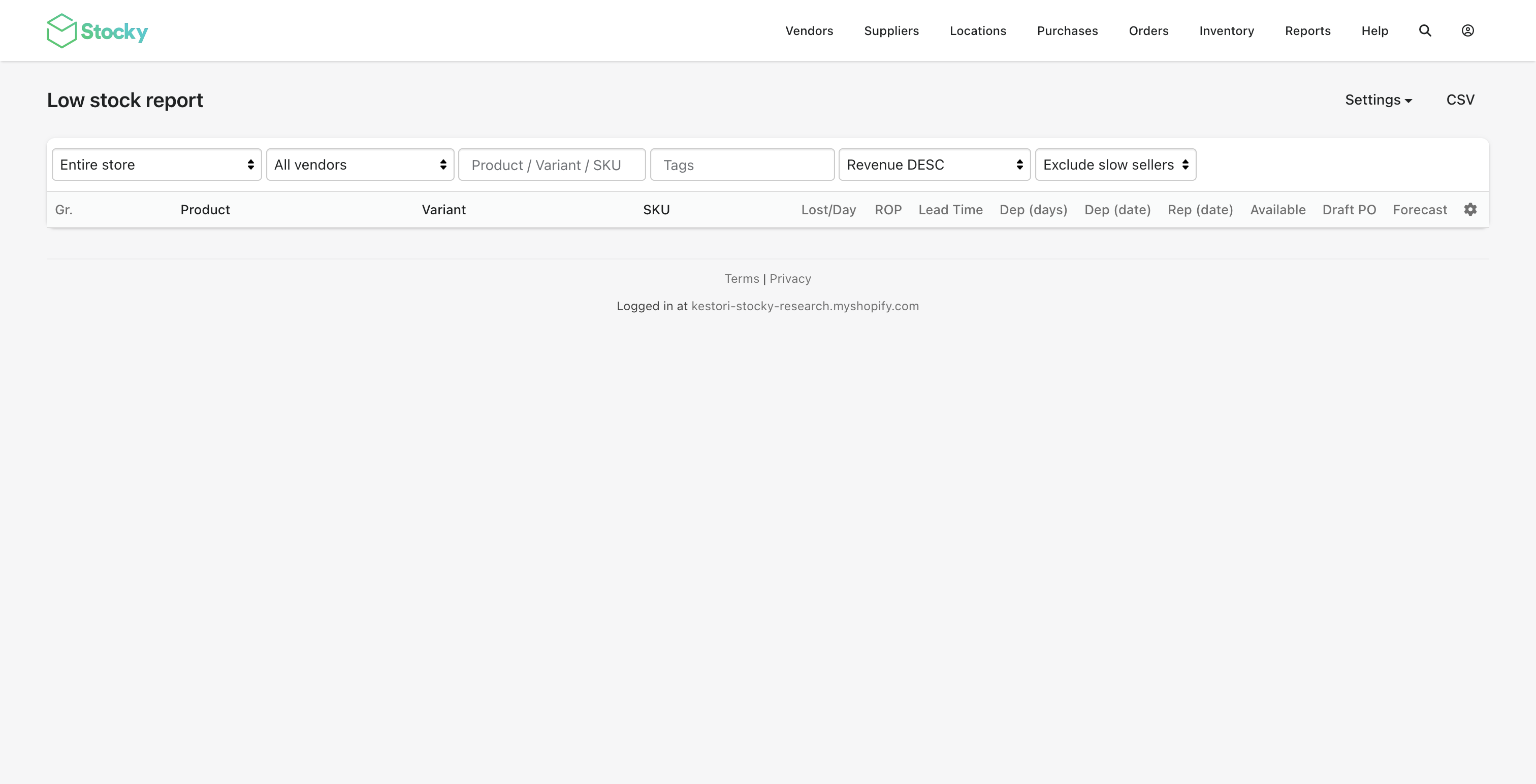
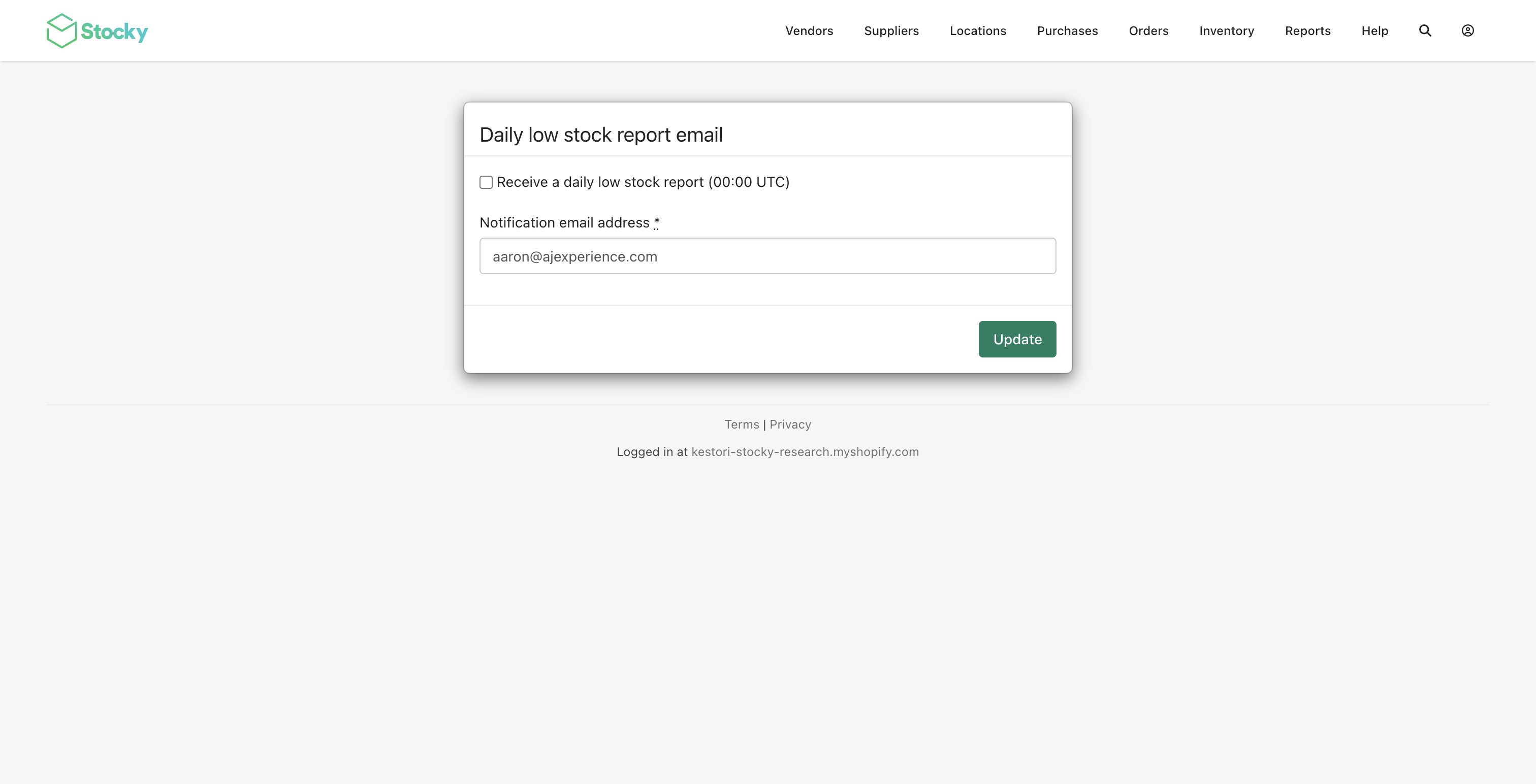
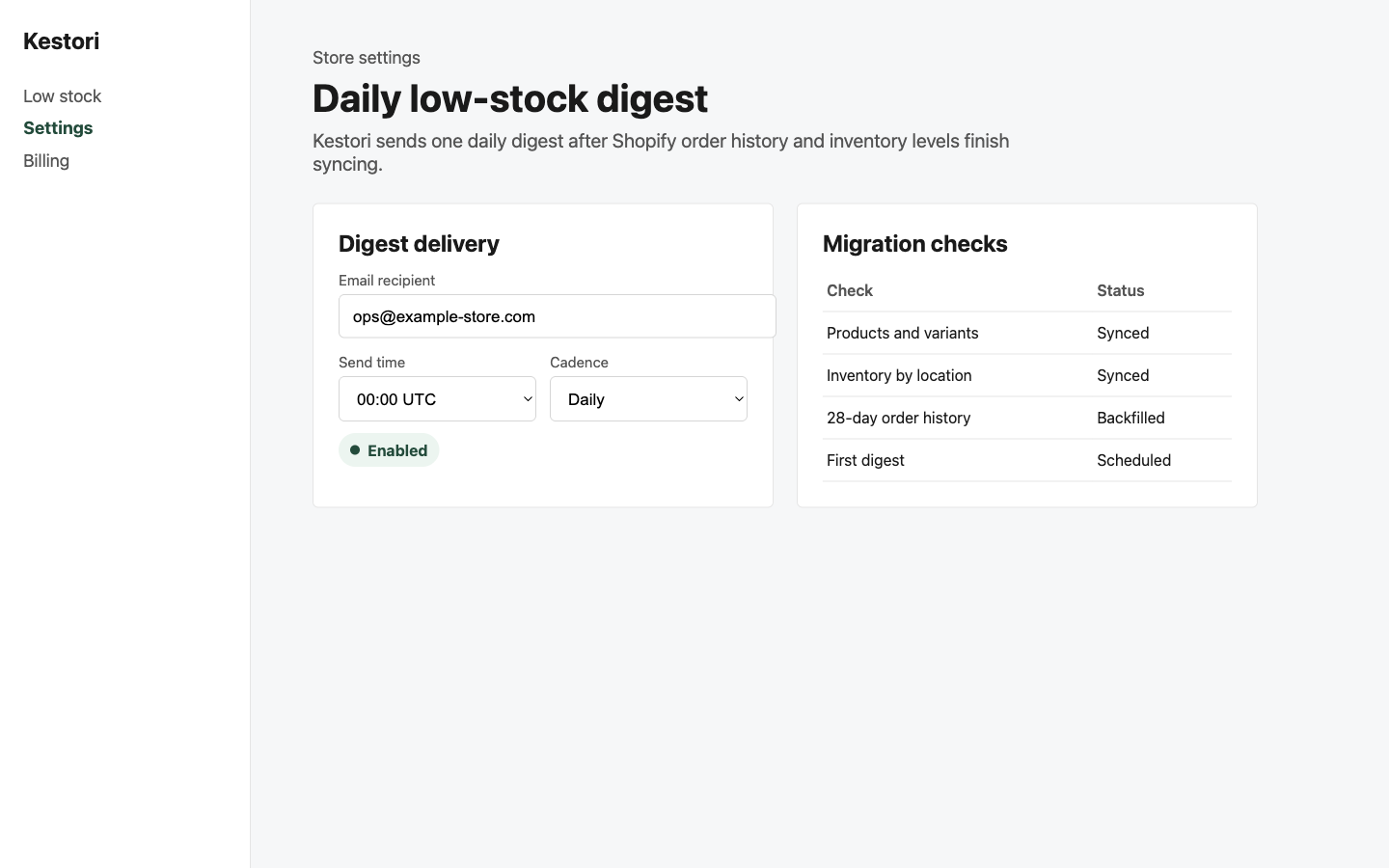
Edge cases to check
- Zero-stock SKUs with no sales in the last 28 days are hidden from the digest by default so they do not bury real stockout risk. Turn off "Hide zero-stock items with no sales in the last 28 days" in Settings to review every out-of-stock SKU, including discontinued or never-sold items.
- If Shopify has no cost data for a variant, leave margin decisions in your existing Stocky export and use Kestori for stockout risk.
- If a location is being closed or ignored operationally, confirm its inventory should still count before comparing Stocky and Kestori results.
FAQ
How long does a Stocky to Kestori migration take?
The install and settings check take about five minutes. The safer operational migration includes one week of parallel Stocky and Kestori daily digest comparison before turning Stocky off.
Does Kestori import Stocky purchase orders?
No. Kestori replaces the daily low-stock digest workflow. It reads Shopify products, variants, inventory, locations, and recent orders, then rebuilds 28-day velocity and dynamic reorder thresholds from Shopify data.
Can Kestori and Stocky run side by side?
Yes. Keep Stocky's daily email enabled during the first week so you can compare the Stocky report against Kestori's daily low-stock digest before switching.
Get started
The lowest-risk path is install, approve billing, verify first sync, confirm digest settings, send a test digest, compare for seven days, then retire the old Stocky email. Waiting until late August compresses that validation window exactly when every Stocky replacement will be under the most load.